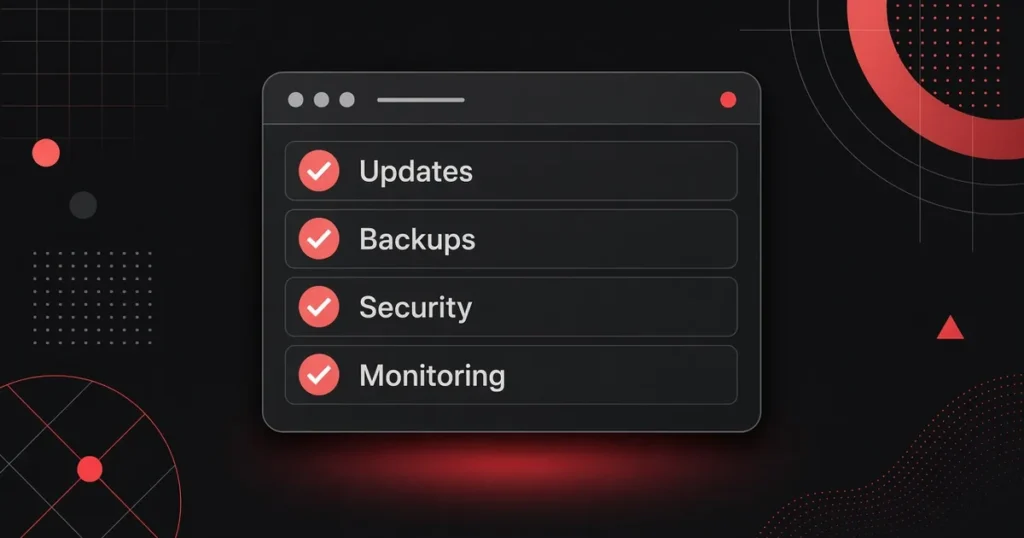
Not all WordPress maintenance plans cover the same work. A useful plan handles updates, backups you can restore, security checks, uptime monitoring, and a real person to contact. The monthly price follows that scope—not the plan’s marketing name.
If you already pay for hosting and someone mentions a “care plan,” “maintenance plan,” or “managed WordPress” package, this guide explains what those labels usually mean, what often costs extra, and how to compare options without surprises later.
The short answer
A solid WordPress maintenance plan should keep your site current, recoverable, monitored, and reachable. That typically means:
- Core, theme, and plugin updates on a stated schedule
- Backups stored somewhere you (or your provider) can restore from
- Security scanning and a clear answer on cleanup
- Uptime and SSL monitoring
- A named way to reach a person, with an expected response time
Price follows scope. Hosting-only plans cost less. Plans that add weekly updates, stronger security layers, restore-tested backups, and included edit time cost more.
What a good maintenance plan must include
Updates you can count on
WordPress.org documentation (opens in a new tab) is direct: you should always update WordPress to the latest version. Since WordPress 3.7, most sites can apply minor and security updates in the background, but major releases and most plugin/theme updates still need a deliberate process.
Ask for more than “we update WordPress.” You want:
- What gets updated: WordPress core, themes, and plugins
- How often: monthly, weekly, or on a security-driven schedule
- How they test: whether updates run on staging first, and what they check after
- Who handles breakage: what happens if an update breaks a form, checkout, or layout
Backups you can restore
A backup that nobody has restored is only a theory. WordPress.org’s backup guidance (opens in a new tab) recommends backing up regularly and always before an upgrade. As a general suggestion, smaller sites may back up weekly; high-activity sites daily. Keep several recent copies in different places, and check now and then that automated backups actually work.
A maintenance plan should spell out:
- How often backups run
- Whether they cover files and the database (you need both for a full restore)
- Where copies are stored (on the same server only is weaker than off-site)
- How long copies are kept
- Whether restore tests happen, and who can request a restore
Security scanning and a clear cleanup policy
Maintenance plans commonly include malware or vulnerability scans, a firewall layer, and login protection. The part buyers often miss: is cleanup included if something gets through? Some plans include it. Others bill it separately as emergency work. Get that in writing before you need it.
Uptime and SSL monitoring
Someone should notice when the site is down or the certificate expires—before your customers do. Ask who gets the alert and how fast they respond.
A real person to contact
“Ticket system” is fine if humans answer it. You want a stated response window for normal requests and a path for emergencies. If the plan never names response expectations, assume you will wait.
What usually costs extra
These items show up on many plan pages as add-ons or “billed separately”:
- Content edits and design tweaks beyond a small monthly allowance
- Custom development or new page builds
- Malware cleanup after a compromise (if not included)
- Performance rebuilds or Core Web Vitals projects
- Staging environments and pre-update QA beyond a basic check
- Detailed monthly reports
- Migrating you off a previous host or developer
When two quotes look far apart, compare edit hours and cleanup policy first. That is often where the gap lives.
Hosting + maintenance together vs. separate plans
Some businesses buy cheap hosting, then add a separate maintenance vendor. Others buy a managed plan that bundles hosting with care.
Neither model is automatically better. What matters is whether one team owns the stack when something breaks. Split ownership can work if roles are clear. It falls apart when the host blames a plugin and the maintenance vendor blames the host.
How Code Samurai structures this
On our managed hosting page (checked Nov 6, 2026), the published tiers are:
| Plan | Monthly price | Maintenance focus |
|---|---|---|
| Basic | $42 | Reliable hosting for simple sites with minimal management. Free migration + SSL, daily automated backups, proactive monitoring and support. No listed core/theme/plugin update cadence. |
| Zen | $150 | Monthly updates (core, theme, plugins), hardware + software firewall, daily security scans, Cloudflare CDN (standard), image optimization, uptime monitoring, Google Analytics setup, SendGrid SMTP, daily performance scans. |
| Zen+ | $230 | Weekly updates, advanced Cloudflare with WAF + DNS management, two daily backup sets, Akismet for contact forms, user activity logging, 1 hour/month of included maintenance/development time, monthly performance reports. |
| Custom Managed | Quote | Dedicated servers or fully custom configurations. |
Most of our clients choose Zen+ when they want hosting and ongoing care in one place. If you only need hosting with light support, Basic may be enough. If you want regular updates without the full Zen+ package, Zen sits in the middle.
For cleanup after a previous developer or a broken site, see website rescue and cleanup under Support & Fixing Issues.
What WordPress maintenance usually costs
Prices vary with scope, not with buzzwords.
As of October 20, 2026, 3Fold Labs reviewed published care-plan prices (opens in a new tab) from seven named providers. Their entry paid tiers for one WordPress site ranged from $39 to $435 per month, with premium tiers higher. Some of those plans included hosting; many did not. That sample is not a market average—it is a dated snapshot of list prices. Re-check any vendor page before you rely on a number.
Where Code Samurai fits in that picture (as of Nov 6, 2026):
- Hosting-focused Basic at $42/mo
- Hosting + monthly maintenance (Zen) at $150/mo
- Hosting + weekly maintenance and more security/reporting (Zen+) at $230/mo
Those are our published prices, not industry averages. When you compare quotes, line up hosting inclusion, update frequency, backup policy, cleanup coverage, and included edit time side by side.
Questions to ask before you sign
Use this checklist on any proposal—including ours:
- Updates: How often are core, theme, and plugin updates done? Are they tested on staging first?
- Backups: Where are backups stored? How many copies are kept? When was a restore last tested?
- Security: What is scanned daily? Is malware cleanup included or billed separately?
- Monitoring: Who watches uptime and SSL, and what is the response path when something fails?
- People: Who do I contact? What is the expected response time for normal vs. urgent issues?
- Edits: How many minutes or hours of changes are included? What counts as an “edit”?
- Exit: If I leave, what do I keep—domain, hosting access, backups, and site files?
- Ownership: Are domain, hosting, and admin accounts in my organization’s name?
Signs your current plan is not enough
- Plugins or themes sit months out of date with no explanation
- You never receive a report or a short note about what changed
- A broken form or downtime takes days to get a reply
- Backups exist “somewhere,” but nobody can restore one on request
- Your host says updates are your job, and your developer says hosting is theirs
Any one of those is a reason to review the plan. Several together usually mean the site is running on hope.
FAQ
Do I need a maintenance plan if my host already updates WordPress?
Maybe. Some hosts apply core updates. Fewer handle theme/plugin updates, restore-tested backups, security cleanup, and content fixes under one roof. Ask your host exactly what they update, how often, and what they do when an update breaks something.
Is monthly updating enough, or do I need weekly?
It depends on how many plugins you run and how often vendors ship security fixes. Monthly can work for quieter sites with few plugins. Busier sites, membership sites, and stores often benefit from a shorter cycle. WordPress itself still recommends staying on the latest version; the schedule is how you get there safely.
Can I maintain WordPress myself?
Yes, if you have time and a restore path. WordPress.org documents the update and backup process. The risk for most small businesses is not ability—it is consistency. Missed updates and untested backups are the usual failure points.
Does a cheaper plan mean worse service?
Not automatically. A cheaper plan may simply include less: hosting only, fewer updates, no edit time, or cleanup billed separately. Compare scope before you compare price.
Next step
Not sure what your current plan covers? Send us your site and we will tell you what is missing.
Or compare our Zen and Zen+ plans if you want hosting and maintenance handled together.